Calculate event ticket sales analytics for UAE events using agreed sales periods and counting rules, with revenue figures tied to admission records.
Your event ticket sales analytics need to answer a specific question when the team reviews its next sales decision: which purchases belong in the figure on the screen? After a refund, the original sale and the remaining valid tickets tell different stories. For an order containing several admissions, distinguish the transaction count from the ticket quantity. Agree on the counting method your team will apply to successive exports.
Agree on What Counts as a Sale
Confirmed paid tickets deserve their own measure in a sales report, with complimentary admissions counted toward the expected audience in a separate field. If your team reports orders, retain the ticket quantity attached to those orders. Averages calculated per order answer a purchasing question; averages calculated per ticket describe the admission sold. Label the unit beside the result so colleagues can reproduce the calculation.
For a canceled purchase, retain the original transaction so the report can trace any subsequent adjustment to the selected event's current total. Refund amounts and invalidated ticket quantities require separate fields when a partial refund leaves some admissions valid. Ask the provider which ticket states enter its export, then retain the explanation with the report. Keep technical implementation details with the responsible team and request a counting instruction the organizer can apply to the export.
Your reporting cutoff needs a date and time zone when sales arrive throughout the day or colleagues review exports from different locations. Choose Asia/Dubai for a Dubai operating report if the time zone matches the team's agreed schedule. In a comparison between morning exports, use the same cutoff. Late corrections belong in a dated revision so an earlier report remains explainable.

Calculate Sell-Through against the Relevant Allocation
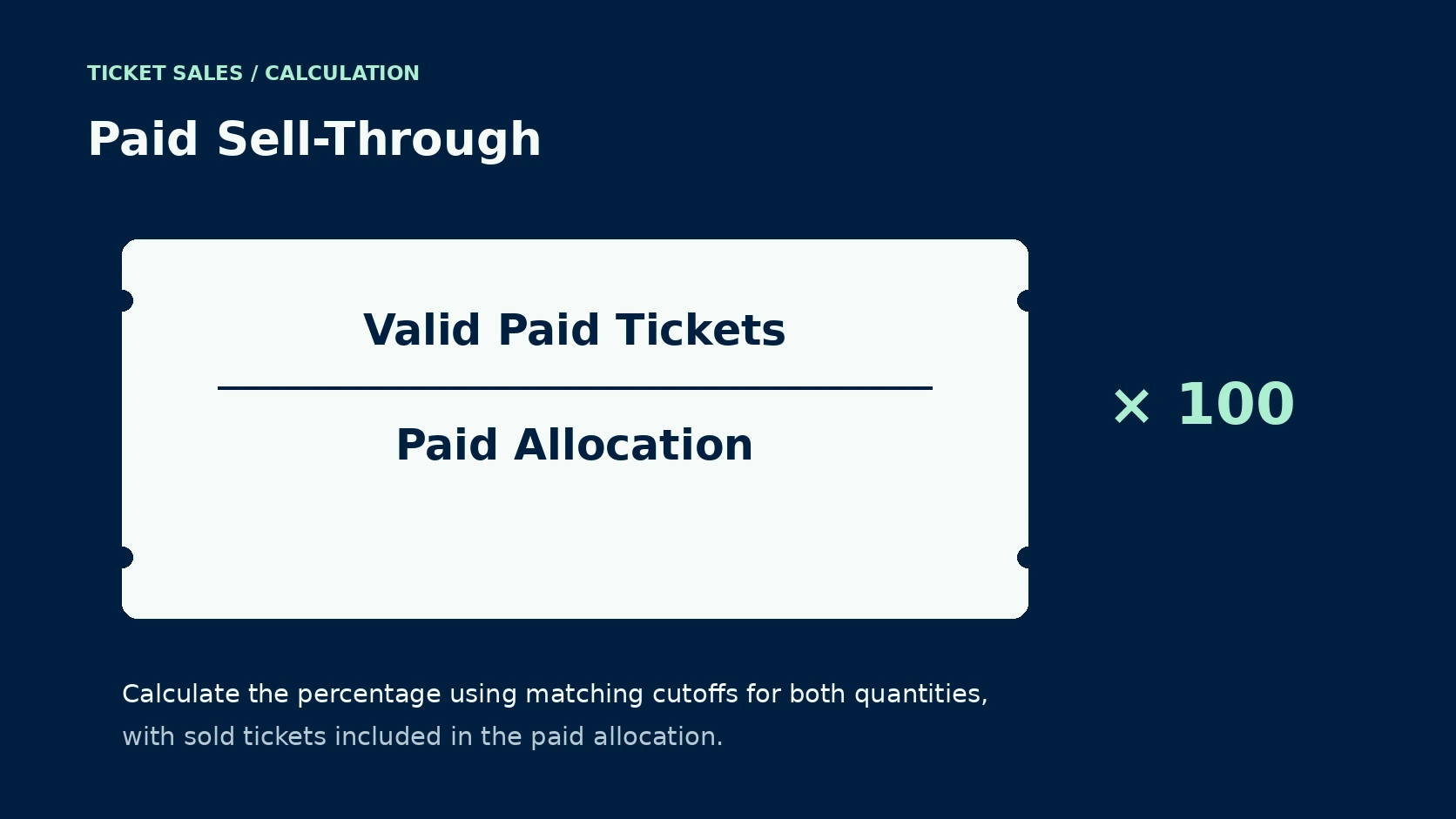
Paid sell-through expresses valid paid tickets as a percentage of the allocation designated for paid sale, with both quantities measured at the same cutoff. Divide valid paid tickets by the paid allocation, then multiply by 100. Include sold tickets within the allocation used as the denominator. For the remaining available quantity, use a separate inventory measure.
Paid sales totaling 300 valid tickets against a 500-ticket paid allocation produce 60% sell-through in an illustrative calculation using fictional quantities. If the organizer subsequently releases another 100 approved tickets, the same purchases produce 50% against the revised allocation. Buyers have purchased the same quantity in both calculations. Record the allocation change beside the percentage so a colleague can explain the movement.
Paid allocations require their own label in the sales report when complimentary guests occupy part of the approved audience capacity for the event. Keep the venue-approved attendance limit in the operational record, alongside any relevant configuration restrictions. For multi-day passes, calculate the applicable admission quantity for the individual date. One pass sold creates a purchase record whose admission rights may apply on several dates.
Read Sales Velocity alongside the Cumulative Curve
Sales velocity measures ticket purchases during a stated interval, so a daily report needs a consistent treatment for refunds applied during the period. Report newly confirmed paid tickets for gross daily sales. To report net change in valid paid tickets, subtract the invalidated paid quantity recorded during the interval. Both measures have a use; their labels explain why a busy sales day can produce a smaller net increase.
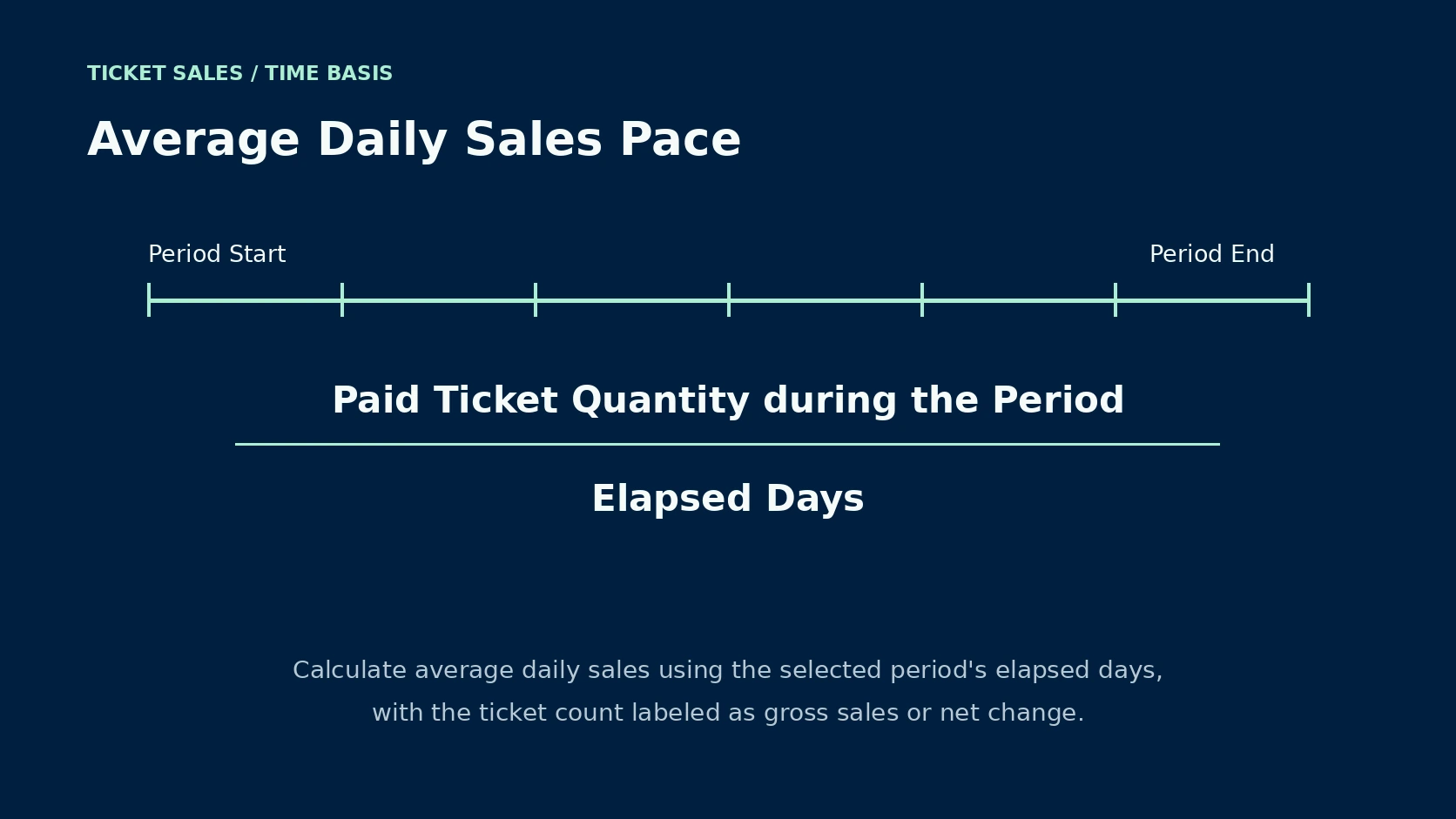
Over a seven-day review, divide the relevant ticket quantity by seven to calculate the average daily pace for the period. Retain daily totals beside the average when a group order accounts for much of the week's activity. On the cumulative curve, plot the running ticket total against time. Colleagues investigating a change need the actual promotion date beside the corresponding interval.
For comparison with an earlier event, use days remaining until the performance and check whether both campaigns had equivalent sales opportunities. If the earlier campaign had a longer on-sale window, its buyers had more time to purchase tickets. For the current forecast, retain the duration beside the earlier event's final result. Date any inventory release or price change on the comparison curve.
Keep Ticket Revenue Separate from Attendance
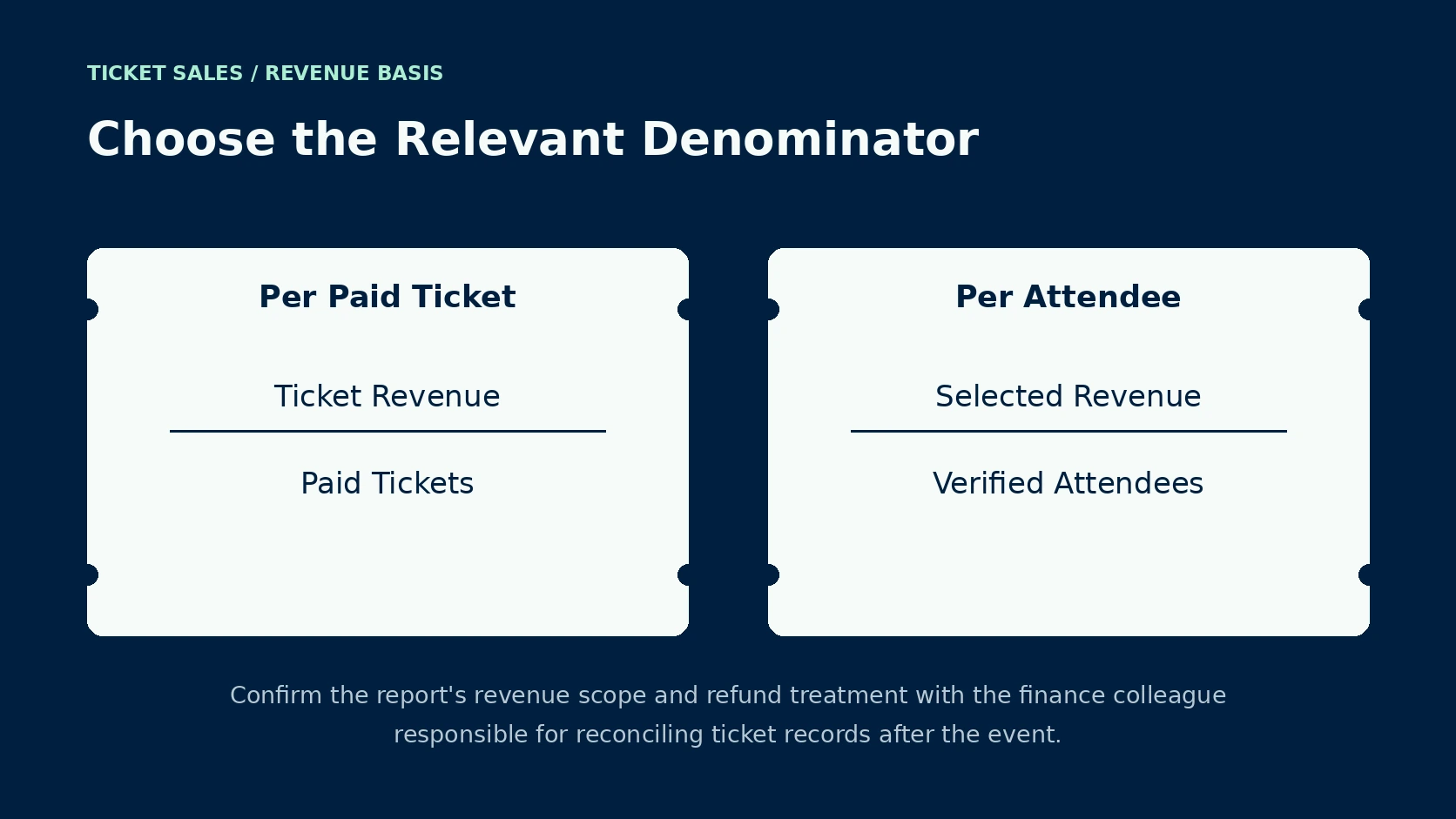
Average revenue per paid ticket divides the selected ticket revenue by the paid-ticket quantity on the same accounting basis, after the agreed treatment for refunds. Specify whether the revenue figure excludes taxes or contractual charges. Your finance colleague needs to approve those counting rules for the report. The buyer's checkout total and the organizer's proceeds require different labels when deductions separate the amounts.
For revenue per attendee after the event, use the verified attendee count appropriate to the question being asked and state which revenue categories enter the numerator. Complimentary guests belong in an all-attendee denominator. Repeated scans require reconciliation to distinct admitted people for the attendance measure. For weekend passes, specify whether the denominator counts distinct people or daily visits.
Within a category report, retain each ticket category's sold quantity beside its revenue so changes in the sales mix remain visible to the organizer. The overall average may fall when more buyers choose a lower-priced category, even while both published prices stay fixed. Review the category calculations with the event's ticket pricing plan when assessing whether the current mix supports the budget.
Match Conversion to the Activity Measured
Purchase conversion requires a numerator and denominator drawn from compatible activity, with the same event scope applied throughout the selected reporting period. For a session-based purchase rate, divide sessions containing a purchase by eligible sessions. Multiply the result by 100 for a percentage. Ticket quantities per visit describe another measure, since one purchaser may buy several admissions.
Google's ecommerce reporting documentation describes the configured events a website or app must send for its transactions to appear in the reporting service. The report's purchased-item metric comes from the purchase event's item data. Ask the analyst to verify collection across the intended ticket route. If the report is blank, check its collection setup ahead of drawing conclusions concerning buyer demand.
When a browser report disagrees with the ticketing export, ask the analyst to compare transaction records from the same period and account for the difference. Google's transaction-ID guidance explains purchase deduplication for web streams when another purchase event carries the same transaction identifier. Have the responsible analyst check the implementation and its applicable scope. The organizer's working total still needs reconciliation against confirmed ticket records.
Make the Report Useful at the Sales Meeting
Your event report needs enough detail for the person approving the next action to trace an unexpected result back to the relevant sales period. Put the calculation method beside the first occurrence, then retain the source export with its cutoff. Category totals need to reconcile with the event total. Any unresolved difference deserves an assigned reviewer and a stated effect on the current figures.
When a paid allocation changes, retain the earlier quantity in the comparison notes so the team can separate a denominator change from new purchases. For a revised report, identify the affected dates. If the confirmed sales pattern calls for an investigation, the separate guide to diagnosing slower ticket sales addresses the response. The reviewer can then assess the proposed action against reconciled figures.
Questions on Event Ticket Sales Analytics
Which Figure Shows How Much Inventory Has Sold?
Paid sell-through compares valid paid tickets with the corresponding paid allocation at the report's cutoff, expressed as a percentage for the selected event. Retain the sold portion within the allocation's total quantity. Record later allocation changes with their effective dates so consecutive percentages remain interpretable.
How Frequently Does a Sales Report Need Review?
The review schedule follows the event's decision timetable and the reporting system's actual update interval, with more frequent checks around an active release. Use a repeatable cutoff for the daily operating report. If a report refreshes later than the underlying purchases, include its latest available transaction time in the meeting copy.
What Explains Different Totals in Two Reports?
Different totals often require the team to compare the counting unit and the selected period ahead of an investigation into individual transactions. Confirm how both reports treat refunded purchases within the selected period. Ask the analyst to reconcile the remaining difference against transaction identifiers, with any collection gaps documented alongside the affected measure.
Agree on Reporting with Someone's Ticket
Someone's Ticket provides event ticketing technology, and the reporting arrangements for your event need confirmation against the measures your team intends to use. Contact Someone's Ticket with the proposed reporting period and required ticket categories. Request a sample export whose counting rules the organizer and finance colleague can review, then agree who resolves discrepancies during the sales campaign.
Barbaros Bugra
Event Ticketing